Prior Authorization Automation Vendors: A Plain-English Guide
No jargon, no vendor pitch decks. Just a straight answer to what prior authorization automation actually does, what it doesn’t do, and where a practice’s front desk still needs a human.
Prior Authorization
8 min read
Quick Answer
Prior authorization automation vendors sell software (sometimes paired with a service team) that pulls a patient’s insurance and clinical details, fills out the payer’s prior auth request, tracks the status, and flags anything that needs a human decision, instead of a staff member doing every step by hand across a payer portal, a fax machine, and a phone queue.
Who This Is For
Practice managers and physicians at clinics, especially specialty practices like orthopedics, radiology, dermatology, and physical therapy, where prior auth volume has grown past what one person can track in a spreadsheet or a stack of sticky notes.
What Prior Authorization Actually Is
Before a payer will cover certain procedures, imaging studies, medications, or referrals, they want the practice to prove it’s medically necessary first. That proof request is the prior authorization, a form, a fax, or a portal submission that asks for the diagnosis code, the CPT code, clinical notes, and sometimes a phone call to a nurse reviewer on the payer’s side.
It sounds like paperwork. In practice, it’s a full workflow: someone has to know which procedures need prior auth for which payer (the rules differ by plan and change without much notice), gather the right chart data, submit it through whatever channel that specific payer prefers, then follow up, because payers don’t call you when a request is sitting untouched.
Why It Quietly Eats a Full-Time Role
Ask most practice managers what one employee spends their day on, and prior auth is usually somewhere in the answer, even if it’s not their whole job title. The American Medical Association’s physician surveys have repeatedly found prior auth to be one of the top-cited sources of administrative burden in medicine, and the reason is structural, not a staffing problem: every payer has different rules, different forms, and different portals, and none of them are required to move fast.
The cost shows up in three places:
- Delayed care. A patient waiting on an MRI approval doesn’t know it’s stuck in a queue, they just know they haven’t been scheduled.
- Staff burnout. Chasing payer portals and hold music is some of the least satisfying work in a medical office, and it’s often the first task that falls apart when someone is out sick.
- Denied or expired requests. A missed follow-up window can mean resubmitting from scratch, which restarts the clock on the patient’s care.
What “Automation” Actually Means Here
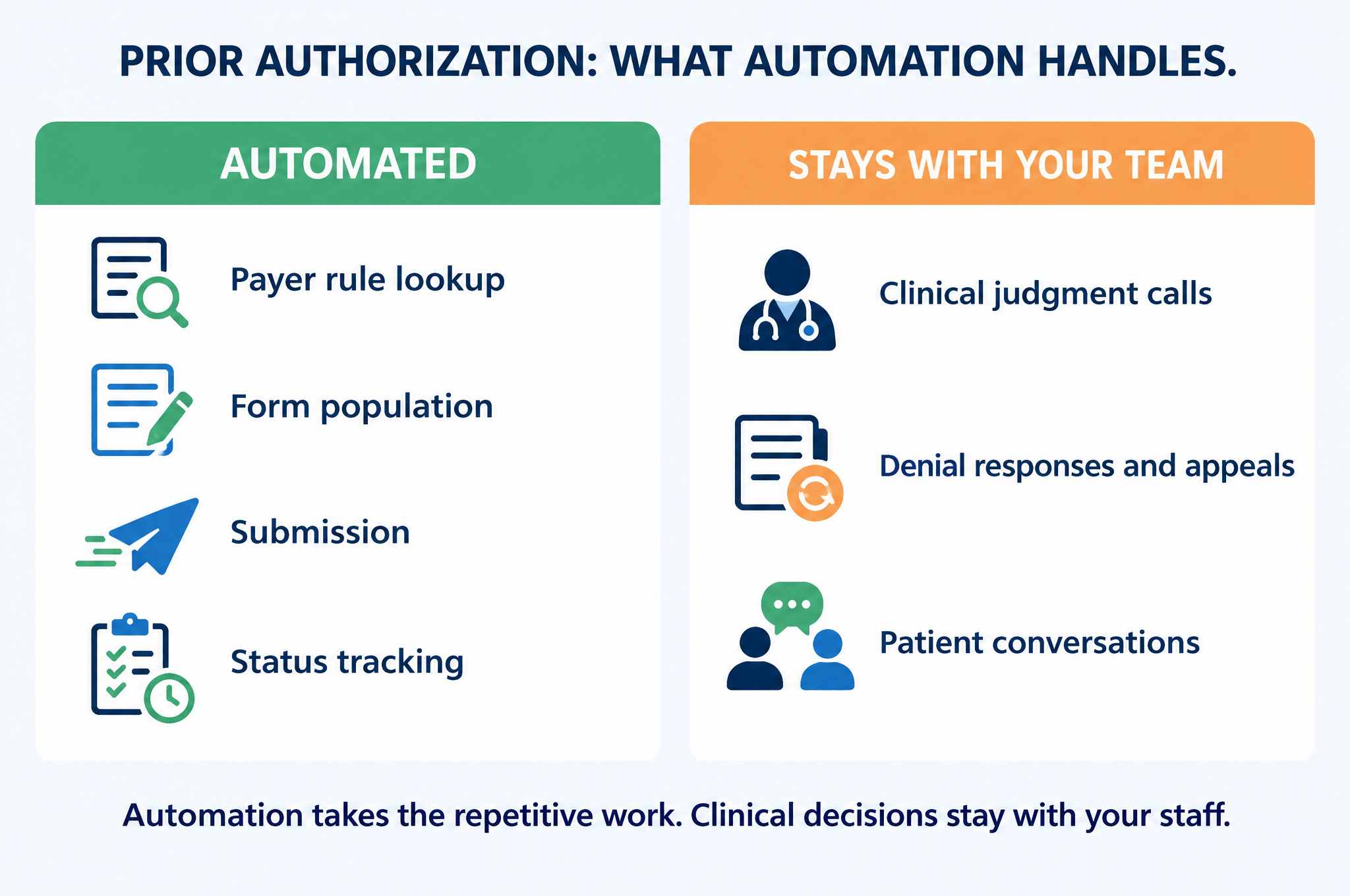
“Prior authorization automation” gets used loosely, so it’s worth being specific. In practice, it usually means some combination of:
| Piece | What it does | Still needs a human? |
|---|---|---|
| Payer rule lookup | Checks whether a given procedure/CPT code needs prior auth for that specific payer and plan | Rarely, this is the part best suited to automation |
| Form population | Pulls patient, diagnosis, and clinical data from the EHR into the payer’s required format | Occasionally, for unusual or complex cases |
| Submission | Sends the request through the payer’s portal, fax, or API | No, once the workflow is built correctly |
| Status tracking | Checks on pending requests and flags stale ones instead of waiting for staff to remember | No |
| Clinical judgment calls | Deciding how to respond to a payer’s request for more documentation, or appealing a denial | Yes, always, this stays with the practice’s clinical staff |
The honest version of “automated prior authorization” is: the repetitive, rule-based, status-checking parts get taken off a person’s plate. The clinical decisions never do, and shouldn’t.
The Vendor Landscape, In Plain Terms
If you’ve searched this topic before, you’ve likely come across names like Notable Health, Availity, and Innovaccer. Worth knowing what they actually are, without guessing at numbers that aren’t public:
- Notable Health positions itself as an AI automation platform for healthcare administrative workflows, including prior auth, generally sold as software that a practice’s own staff configure and run.
- Availity is a payer-connectivity network, a clearinghouse-style platform many practices already touch for eligibility checks and claims, with prior auth submission tools built on top of that same connectivity.
- Innovaccer is a broader healthcare data platform, with prior auth automation as one module inside a larger population-health and interoperability suite.
All three are legitimate platforms. They also share the same underlying model: they hand a practice a login and a set of tools, and the practice’s own staff still own configuring it, running it, and troubleshooting it when a payer changes their form again.
How This Looks as an Actual Build
RevUp Now AI isn’t a prior authorization tool vendor, and this isn’t the product we sell. It’s one example of the kind of workflow we build when a practice’s biggest bottleneck happens to be prior auth. The difference from a software login is that we take the task itself, we consult, build, implement, and stay on to run it.
Map exactly which payers, procedures, and forms are eating the most staff time in this specific practice.
Connect the practice’s EHR to the payer submission workflow, so requests populate and route correctly without manual re-entry.
Put it live inside the tools staff already use, no new dashboard for anyone to learn or babysit.
Keep it current as payer rules and forms change, so staff aren’t the ones catching the change three denials later.
Myths Worth Clearing Up
“This is just another AI tool with a login.”
The opposite, by design. We don’t hand a practice software and disappear, we build the workflow into the tools staff already use and stay on to run and maintain it. No dashboard to learn, no prompts to manage.
“AI will make the clinical call on a denial.”
No. Automation handles the repetitive submission and status-tracking. Clinical judgment, how to respond to a payer, whether to appeal, stays with the practice’s own staff and physicians, always.
“It’s a HIPAA risk to automate this.”
Any build touching patient data is scoped around HIPAA compliance from day one, that’s part of the consult, not an afterthought bolted on later.
“We’d have to rip out our EHR.”
No. The build connects into the EHR and payer channels a practice already uses. Nothing about switching systems is required.
See What This Looks Like for Your Practice
Every practice’s prior auth bottleneck sits in a different place, a specific payer, a specific procedure, a specific gap in staff bandwidth. Let’s talk through where yours actually is.
FAQ
Is prior authorization automation the same as an EHR’s built-in prior auth feature?
Not usually. Most EHRs offer basic prior auth flags or forms, but they rarely handle payer-specific rule lookups or ongoing status tracking across multiple payers, that’s the gap automation and done-for-you builds are meant to close.
How long does it take to see a difference in staff time?
It depends on payer mix and procedure volume, but most practices notice a change within the first few weeks once submissions stop requiring manual portal logins and follow-up becomes automatic instead of memory-dependent.
Does this replace our billing or front-desk staff?
No. It removes the repetitive, rule-based part of the workflow so that staff time goes toward patients and judgment calls instead of status-checking across payer portals.
What if our practice only deals with prior auth occasionally?
Lower volume practices sometimes get more value from a lighter-touch build focused just on tracking and follow-up reminders rather than full submission automation, that’s exactly the kind of scoping a consult figures out before anything gets built.
Is this specific to one specialty?
No. Prior auth volume tends to be highest in specialties like orthopedics, radiology, dermatology, physical therapy, and pain management, but the same workflow problem shows up anywhere prior auth requests are frequent enough to need tracking.
Related reading: Prior Authorization Automation for Medical Practices